Hytale Update 4: Voice Chat, Massive Building Expansion, and Major Quality of Life Improvements
With the release of Hytale Update 4, the game takes a major step forward, not just in content, but in how players interact, create, and experience the world.
Across multiple prerelease updates leading up to launch, this update introduces everything from proximity voice chat to a massive expansion of building blocks, alongside meaningful improvements to performance, modding tools, and overall gameplay flow.
Here is a quick breakdown of what is new and why it matters.
🎤 Proximity Voice Chat Changes Everything
One of the biggest additions in Hytale Update 4 is proximity voice chat, a feature that brings a completely new layer of immersion to multiplayer.
Instead of relying on external apps, players can now communicate directly in game with:
Distance based audio where players sound farther away as they move.
Environmental effects such as voices changing underwater or in caves.
Push to talk and toggle options.
Live avatar feedback when speaking.
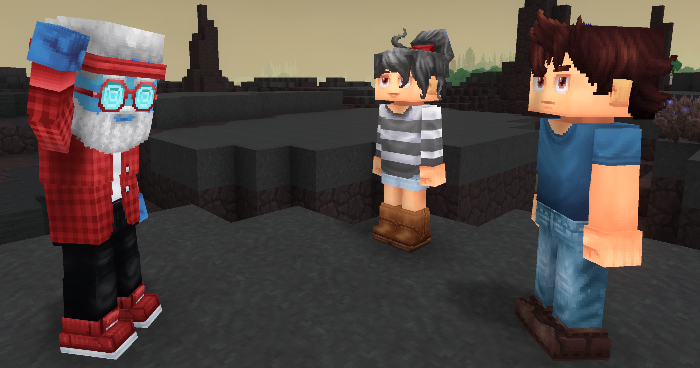
This system is also highly customizable for both players and server hosts, making it flexible for casual worlds or more controlled multiplayer experiences.
For a game that often gets compared to sandbox giants like Minecraft, this is a big step toward making multiplayer feel more active and social.
🧱 A Massive Building Upgrade with Over 500 New Blocks
Builders are getting one of the biggest upgrades in this update.
Over 500 new blocks have been added, dramatically expanding creative possibilities.
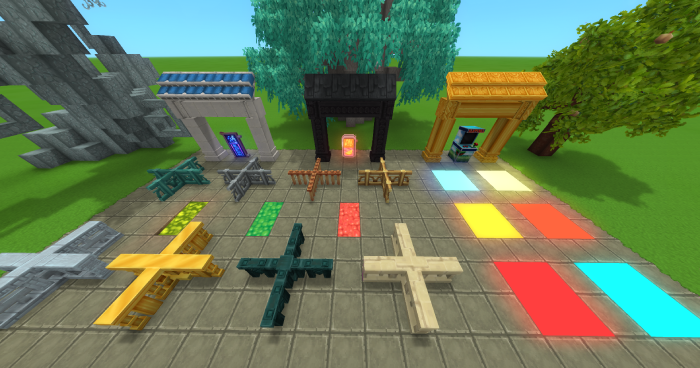
Highlights include:
Entirely new material sets like Limestone, Slate, Chalk, and Cooled Magma.
Expanded stairs, slabs, beams, and structural variants across nearly all block types.
New roof systems with better connections and more styles.
Full fence and wall junction support including T junctions and intersections.
A new Cybercity set for futuristic builds with neon signs, pipes, and more.
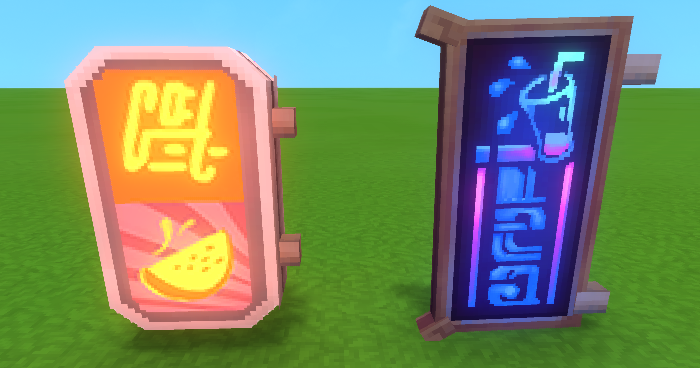
On top of that, existing systems have been refined:
Blocks now connect more naturally.
Materials are more consistent across sets.
Building workflows feel smoother and more intuitive.
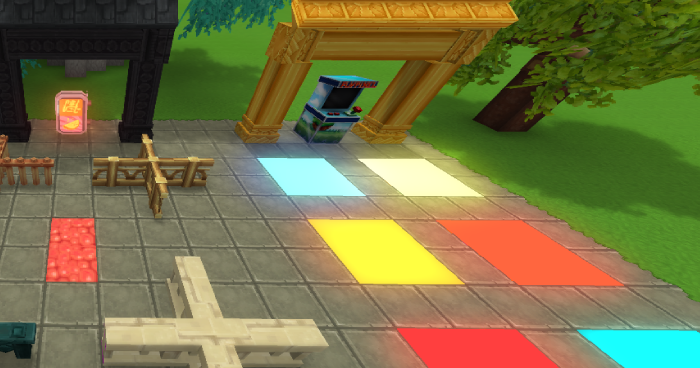
For creative players and modders, this is easily one of the most impactful parts of the update.
🤝Social Features Expand with Emotes
Update 4 also introduces an Emote Wheel, letting players express themselves in game without chat.
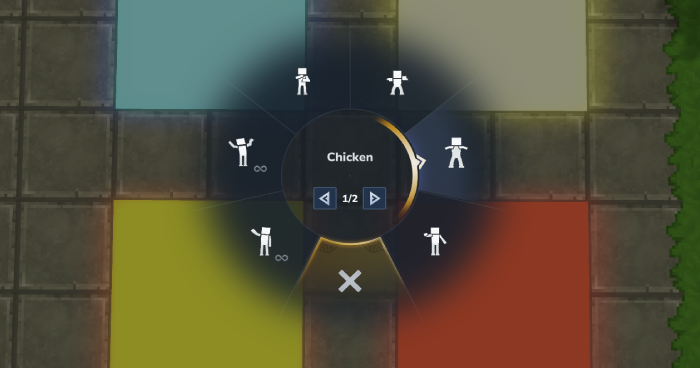
Players can:
Access emotes quickly with a hotkey.
Use new animations like laugh, punch, and more.
Loop certain emotes for longer expressions.
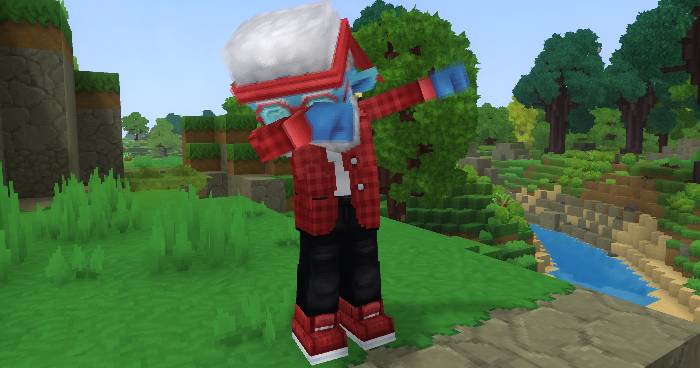
Combined with voice chat, this makes multiplayer interactions feel far more dynamic and expressive.
⚙️ Major Quality of Life Improvements
A large portion of this update focuses on making the game smoother and more user friendly.
Some standout improvements include:
Instant crafting for many early game items.
Better inventory management with drag to drop stacks and clearer UI information.
Improved map visibility and markers.
Enhanced audio positioning and clarity.
More responsive and intuitive controls and UI systems.
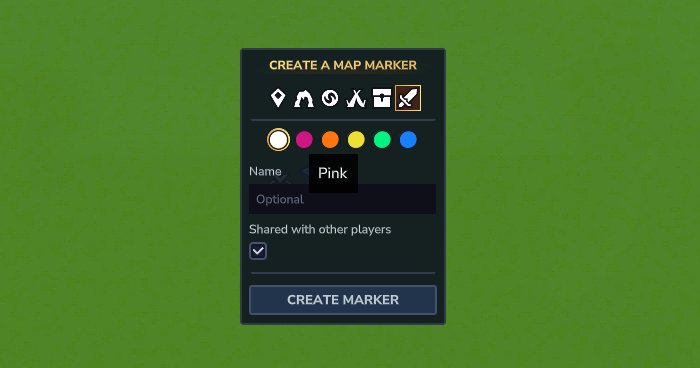
Even smaller touches, like clearer interaction prompts and improved animations, add up to a noticeably more polished experience.
🌍 World, AI, and Gameplay Enhancements
Beyond features, Update 4 improves how the world behaves:
Smarter NPC behavior, including pack tactics such as wolves hunting together.
Updated mob animations and interactions.
Improved world generation performance and consistency.
More immersive ambient audio systems.
Reworked crafting and farming systems, including new tools like sickles and expanded crop mechanics.
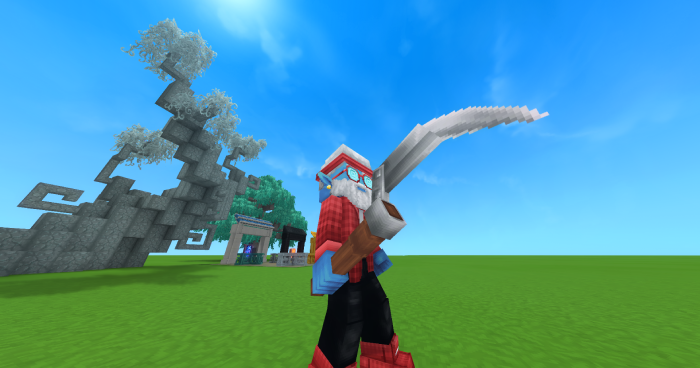
These changes make the world feel more reactive, alive, and consistent overall.
🛠️ Huge Wins for Modding and Creators
For creators, this update is packed with meaningful upgrades:
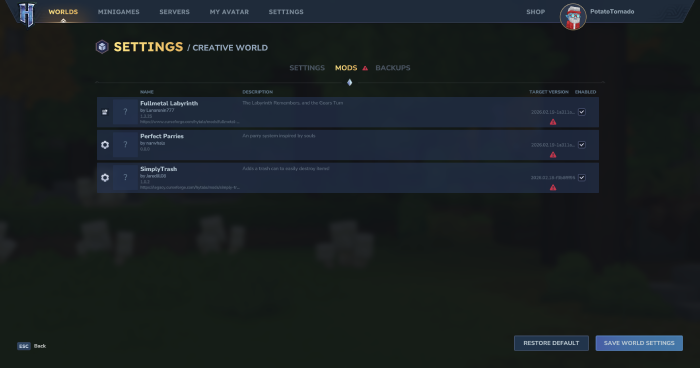
A redesigned Mod Management UI with better visibility and control.
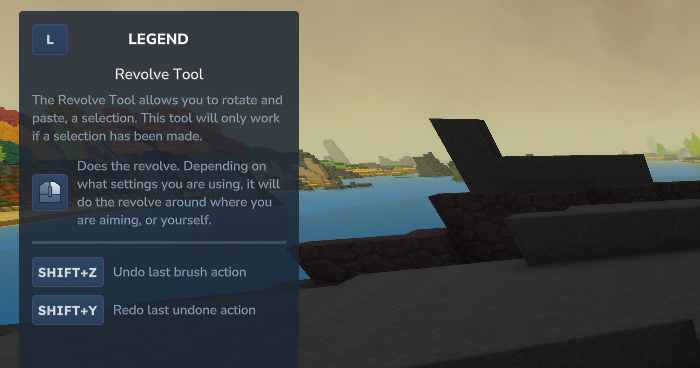
New and improved creative tools such as the Revolve tool for building.
Expanded asset pack support and workflows.
Better performance and preview systems.
New scripting, command, and customization options.
There is also improved support for asset packs, prefabs, and UI customization, making it easier than ever to build custom experiences.
🔧 Stability, Performance, and Polish
Across all five prerelease updates, a major focus has been stability and performance.
This includes:
Reduced lag in systems like containers and world generation.
Improved handling of large worlds and extreme coordinates.
Hundreds of bug fixes across UI, combat, tools, and multiplayer.
Better audio performance and reliability, especially for voice chat.
The result is a version of Hytale that feels significantly more refined and stable.
📊 Conclusion
Hytale Update 4 is not just a major content drop. It is a strong step forward in shaping the overall experience of the game.
With systems like proximity voice chat, expanded building options, and improved modding tools now in place, the foundation for future updates is much stronger. The consistent improvements seen throughout the prerelease cycle highlight a clear focus on refining core systems before expanding further.
As the game continues through early release, players can expect continued updates that build on these systems, bringing more content, deeper gameplay mechanics, and further polish. Update 4 makes it clear that Hytale is steadily moving toward a more complete and fully realized sandbox experience.
FAQs About Hytale Update 4
Q: What is Hytale Update 4?
A: Update 4 is a big content and feature update for Hytale. It adds proximity voice chat, more than 500 new blocks, refreshed tools, new emotes, expanded world building options, and a long list of quality of life improvements.
Q: What is the release date for Hytale Update 4?
A: Hytale Update 4 is scheduled for release on March 26, bringing a host of new features, blocks, and gameplay improvements.
Q: What is Proximity Voice Chat in Hytale Update 4?
A: Proximity Voice Chat lets players communicate in-game based on distance, so voices sound closer or farther away depending on how near you are to others.
Q: How do I update my game to Update 4?
A: You can update Hytale through the official launcher. If it is already installed, the launcher will check for updates when you start the game and ask you to download the latest version. Before you play, make sure you are running the newest release, not a prerelease build.